


Somewhere right now, a founder with a good product is typing "best LLM for [their use case]" into a search bar. They've decided to add an agentic AI feature. This is step one, and it’s already a mistake.
The search returns a strong model. The team wires it up, it works, the feature gets shipped, and the team proudly presents an "AI-powered" something to users. Users try it once out of curiosity, and… never touch it again.
That’s because the first decision should be about where an AI feature helps in this product. And also how someone learns to trust a thing that acts on their behalf. Those are agentic UX calls. Most companies make them after the tech is set. By then, design can't shape the interaction. It only smooths over an integration that's already built.
We developed a framework to test AI features before engineering commits to a model. We'll walk through its four dimensions so you can tell whether your AI capability will earn a place in the product or get ignored.
.png)
Before picking a model, design the experience first
When a team decides to add an AI feature, the conversation starts with technology: which model, which API, how much context to give it, whether to fine-tune or use RAG, and so on. Fair questions, but they go for later.
First, you decide what job the feature should do for the user. It’s a product decision, and the technical ones follow from it.
Take an AI meeting assistant. You could spend weeks comparing models for the most accurate summary. But people might look for action items and the chance to edit before it's shared. And a better model doesn’t fix that. The same holds for customer support, CRM copilots, coding assistants, and AI search. The model makes the feature possible, but the experience earns a second click.
Fortunately, you don't have to wait for launch to find out your feature won't stick. During planning, the features people come back to already look different from the ones they forget. We named those patterns and turned them into the AI Feature Design Fit framework.
Okay, what is AI Feature Design Fit?
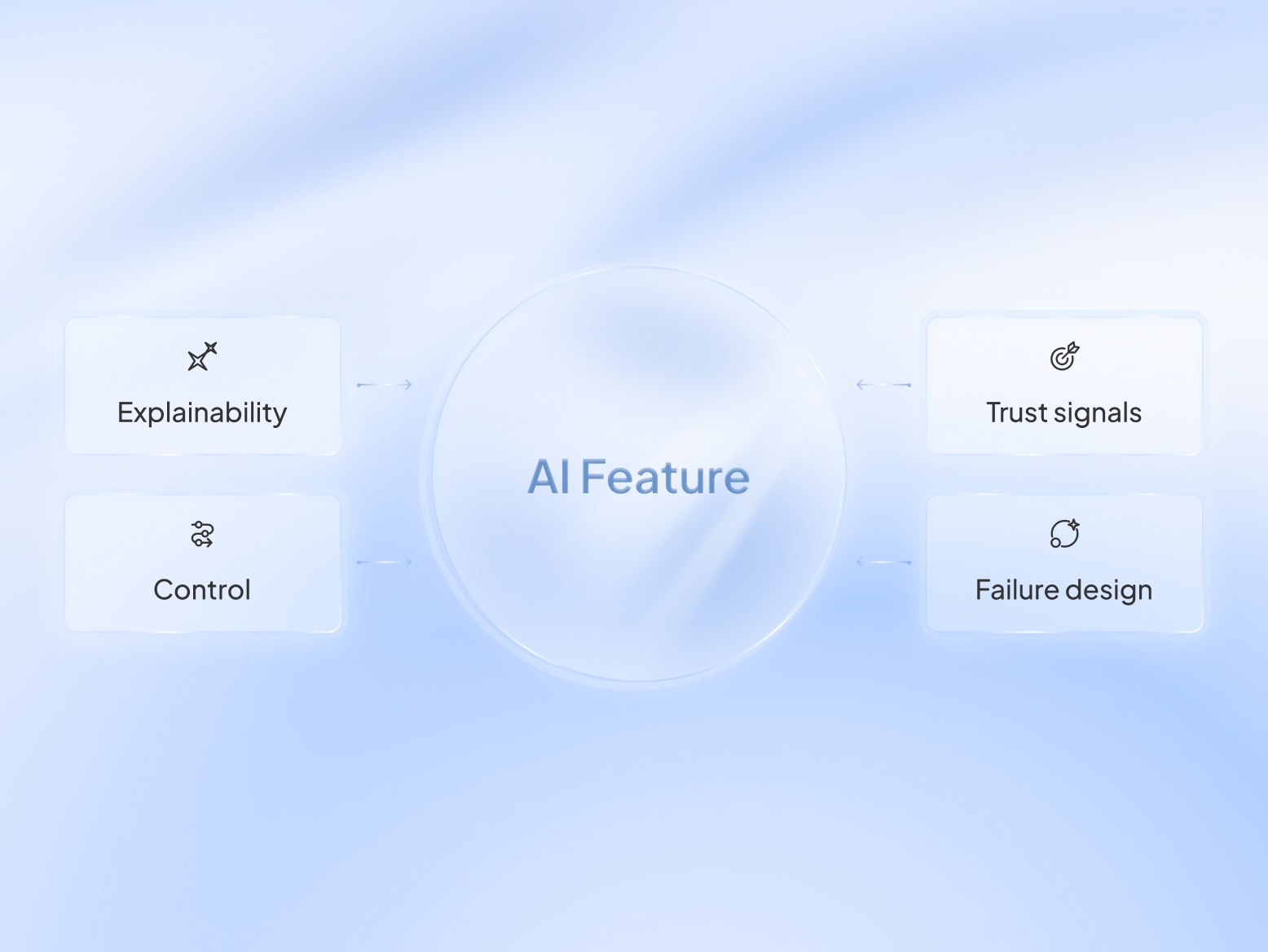
AI Feature Design Fit is how we pressure-test an AI feature at the start of the project. It covers four dimensions that shape how people understand, trust, control, and recover from the AI's decisions.
%20(1).png)
1. Explainability: Can the user tell why the AI did that?
A feature fails this dimension when the AI answers without enough context to understand it. It recommends a product, rewrites an email, or reorders a list, but it doesn’t explain what information influenced the decision.
This is the idea behind explainable AI. You don't have to expose every calculation the model made. Just enough context for users to understand where the answer came from.
Without that context, every answer feels like a black box. Faced with that uncertainty, people either accept the answer blindly or ignore it altogether. More often than not, they choose the latter.
Check your own feature now → While you're still planning the feature, imagine its first interaction. What will tell the user why they got it? If the answer is "nothing yet," you've found an AI UX design problem.
2. Control: Can the user stay in the loop, or does the AI just act?
The human in the loop AI question is about who holds the wheel. Agentic AI is valuable because it can act, but acting doesn't mean acting without permission. Users need to know when the AI is making a recommendation and when it's taking action.
Imagine an AI feature that sends emails automatically. The user notices after the fact, and there's no clean way to reverse it. So they route around it. Good AI agent design decides deliberately where the system acts on its own and where it stops to ask.
Check your own feature now → Before your AI does something with consequences, there should be a moment where the user can review, edit, or stop it. Without one, people feel like the AI makes decisions for them.
3. Trust signals: What makes users trust the AI?
Trust is built in the small cues that tell a user how much confidence to place in a given answer. These might be confidence indicators, source references, previews, confirmations, or consistent behavior over time. When people don’t see those signals, every response feels like a guess, even when it's correct.
Consider an AI search feature that produces a single answer with no references, compared to one that cites documents and shows when the information was last updated. The underlying model might be identical, but the second experience feels more trustworthy.
Check your own feature now → When you plan the experience, think about how users will judge the AI's confidence. Does a shakier answer look any different from a sure one? If they look identical, you're asking people to trust every answer equally. The first bad one teaches them to trust none.
4. Failure design: What happens when the AI is wrong?
Every AI is wrong sometimes. Some products treat failure as an edge case. The AI returns the wrong answer, and the user is left with a generic error or no explanation at all. The conversation ends there.
Good failure design keeps people moving. It explains what happened, offers another path, asks for clarification, or lets users try again without starting over. Failure should be part of AI product design, and it isn't only about being wrong. Sometimes the AI has an answer, but an uncertain one. The honest move is to flag it, so the user can decide how much weight to give it.
Check your own feature now → Map out the three most likely failure scenarios. If users don't have a clear next step, the experience isn't finished yet.
Your users will never know which model you picked. They'll remember it made their job easier. Or it didn't. That's why we run AI Feature Design Fit during product planning, when the biggest UX decisions are still cheaper to change. Here are the questions we use to pressure-test each of the four dimensions.
.png)
These questions are easy to nod along to. Watch what happens when you aim them at a real feature.
What the framework looks like in practice
Let’s say you're adding an AI feature that prioritizes sales leads in your CRM. It scores every lead and reorders the rep's queue so the hottest ones rise to the top. Naturally, we start with what a user asks when seeing the leads.
Why did Lead A end up above Lead B?
If the interface can't answer that, the rep has no reason to trust the ranking. "High intent" won't cut it. But a rep will act on "visited your pricing page three times, replied to last week's email, and matches your best closed deals".
Next goes control.
What is AI allowed to do?
Does the AI feature silently reshuffle the queue, or propose an order the rep can override? Should it only rank leads? Notify sales reps? Create follow-up tasks automatically? In most cases, the AI should recommend the next step while leaving the final action to the user.
Now, we turn to trust signals.
How will a rep know which rankings to trust?
Sketch two leads in the queue, one the AI is sure about, one it's guessing on. In your plan, do they look any different? If they don't, you're about to ship a queue where a solid lead and a shaky one wear the same confidence. One cold lead at the top of the queue, and the rep stops believing the order. Decide now what marks the difference.
Finally, plan for the moment the AI misses.
Maybe the model overlooks the lead that's ready to buy. When it does, the sales rep should be able to correct the recommendation in seconds, understand what happened, and continue working without losing trust in the feature.
By the end of that conversation, you've defined how the lead prioritization feature should behave. Only then does it make sense to choose the model that can support it.
If your product already has design debt, the AI feature inherits it
Passing the four dimensions is a strong start, but it doesn't guarantee a great experience. A new AI feature lands inside whatever consistency your product has. If your existing UI is already fragmented, the agentic feature inherits that fragmentation. And adds its own. We call this trajectory the Design Debt Bomb. It has four stages, and teams don't realize they're in one until they reach the last.
- Stage 1. Velocity Mode → You ship fast, and the debt builds up where nobody's looking.
- Stage 2. Friction Point → Engineers slow down, and small inconsistencies creep into the UI.
- Stage 3. Visible Breakage → Users get confused, the product looks stitched together, and investors notice.
- Stage 4. Reset Cost → The only way to fix this is a full redesign.
An AI feature bolted onto an inconsistent product exposes the design debt that's already there. In that case, the AI feature isn't the first problem to solve. If your foundation is solid, though, AI Feature Design Fit is the right place to start.
Run the diagnostic before you pick the AI model
Already comparing models? Pause for a moment, and back up one step. Take the feature you're working on and run it through the four dimensions as an AI readiness checklist. Be honest, and the weak spot outs itself. It's much easier to redraw a plan than rebuild a feature.
Want a second set of expert eyes on your AI feature? Book a free 48-hour Product Audit. We'll apply AI Feature Design Fit to your planned feature
and help you spot the gaps.